
AI in SBN
AI that takes on the paperwork. Only if you want it.
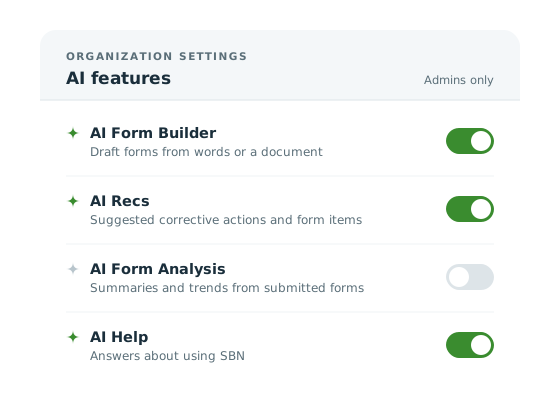
Four optional AI features across the SBN platform help you build forms and recommendation libraries faster, and make sense of what your inspections turn up. Your admin decides which ones your organization uses.
- 4
- AI features across the SBN platform
- 0
- you have to use
- 1
- switch per feature, held by your admin
- 0
- of your data used to train AI models
01 · Templates, checklists and procedures
AI Form Builder
Start from a sentence, or from the form you already have.
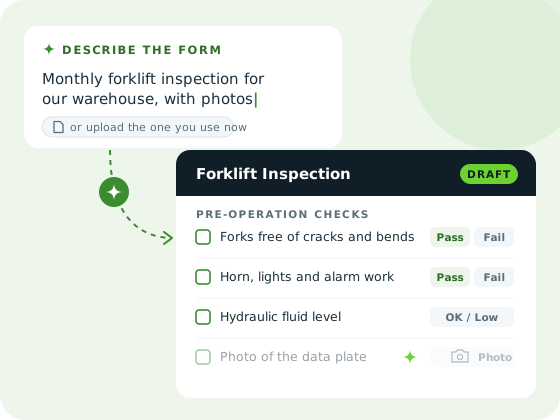
Describe the form you need in plain words, such as “a monthly forklift inspection for our warehouse, with photos”, or upload the document your team uses today. AI Form Builder turns it into a draft SBN form, ready for you to review. Change anything you like before you roll it out.
- Start from a sentence or an existing document
- Inspections, checklists and procedures
- A draft you can edit, not a form you're stuck with
02 · Recommendation libraries
AI Recs
Describe what your people need. AI writes the library.
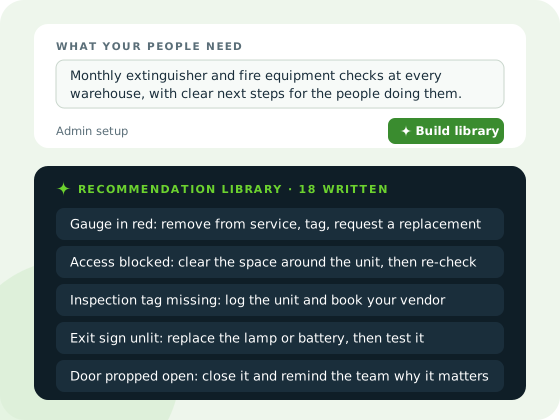
Your admins describe what your people need, and AI Recs writes a library of recommendations to match. With that library on hand, on their mobile devices or in the web app, your people choose from recommendations that fit the work in front of them, instead of writing everything from scratch.
- Written by AI from what your admins describe
- On mobile devices and in the web app
- Less writing from scratch for your people
03 · Summaries and trends
AI Form Analysis
Read one inspection in seconds. See the pattern across hundreds.
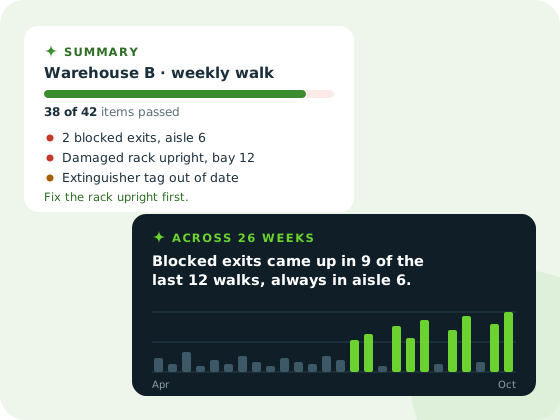
Open a completed form and get a short summary: what passed, what failed, and what needs attention first. Look across many submissions and AI Form Analysis points out the patterns, like the same failure turning up week after week, or one site or asset that keeps coming up.
- A plain-language summary of any submitted form
- Trends across submissions, sites and assets
- Repeat problems spotted before they become incidents
04 · Answers about using SBN
AI Help
Ask how to do it, in your own words.
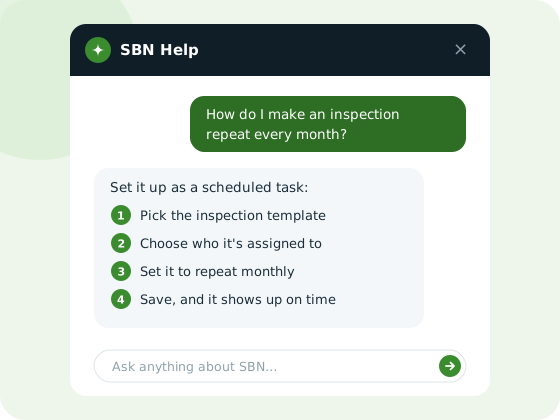
Ask how to do something in SBN, in your own words, and get a clear, step-by-step answer. In SBN, look for SBN IQ. New team members find their feet faster, and admins spend less time answering the same questions.
- Ask in plain language
- Step-by-step answers
- Helpful for new users and occasional admins alike
Questions
What people ask first
Do we have to use the AI features?
No. Every AI feature in SBN is optional. If your organization doesn't turn them on, SBN works exactly as it does today.
Who decides which features are on?
Your SBN admin. Each feature is turned on or off for your organization separately, so you can start with one, add others later, or stay with none.
Is our data used to train AI models?
No. Your organization's data isn't used to train AI models.
Try SBN with AI, or without it
See how SBN fits your safety program, with as much AI as you want, or none at all.